

- 0
- 1,111 word
AI is becoming part of everyday browsing, from searching for answers and drafting messages to organizing research and moving between work applications. Yet faster tools can also introduce new friction: too many tabs, blurred account boundaries, unclear data access, and AI features that seem to act before a person has made a choice. The discussion around Shift Browser and the future of AI-powered work centers on a useful alternative: build AI into the browsing experience without making it unavoidable.
That distinction matters because the browser is where many people manage their digital lives. It is where client work, personal accounts, documents, shopping, research, communication, and AI tools can collide. A browser that helps people create order while retaining control can reduce the strain of constantly switching context.
Why AI-Powered Work Creates a Browser Problem
Work no longer happens in a single application. A typical project may involve email, cloud documents, chat platforms, research pages, customer systems, calendars, and one or more AI tools. Moving among these services is useful, but it can make it difficult to tell which account is active, which task deserves attention, and what information is being shared.
AI adoption also does not mean every task should be automated. Stanford’s 2026 AI productivity research reports that 88% of surveyed organizations used AI in 2025, while noting that productivity gains are strongest in structured, measurable work. That is a reason to view AI as a support tool, not a substitute for judgment in every situation.
How Shift Browser Reduces Digital Overload
Shift Browser was founded in 2016 as an alternative to the traditional, tab-heavy browsing experience. Its central organizing feature is Spaces: separate browser environments for distinct parts of a user’s life. A person might maintain one Space for their employer, another for a freelance client, a third for household administration, and a fourth for personal browsing.
Each Space can keep its own logins, applications, notifications, and browsing context. That separation can be especially helpful for people who manage multiple accounts in the same services. Rather than opening a personal inbox beside a client inbox and hoping not to mix them up, users can place those activities in different environments.
A Practical Example
A consultant could use one Space for client research and project files, another for invoicing and business administration, and another for personal shopping and travel planning. The goal is not simply fewer tabs. It is clearer context, with fewer opportunities for unrelated responsibilities to interrupt each other.
Why Optional AI Matters
An AI-first product can make automation the default. A human-first product starts with a different question: does this feature solve a clear problem for the person using it? Shift Browser’s stated approach is to make AI optional, context-aware, and under the user’s direction.
That approach recognizes that users have different comfort levels. Some people want AI help finding information, summarizing material, or reducing repetitive work. Others prefer conventional browsing, especially when handling private accounts or important decisions. An optional feature respects both groups without treating hesitation as resistance to progress.
Keeping the User in Charge During AI-Assisted Tasks
Shift Browser’s Intelligent Omnibox illustrates the difference between assistance and automation. Rather than allowing AI to make the final selection, the feature provides a suggestion and leaves the choice with the user. That design choice may appear small, but it establishes an important expectation: the browser can help without taking over.
People evaluating any AI browser should look for several practical controls:
- Clear indication of when an AI feature is active.
- A plain-language explanation of what information the feature can access.
- An easy way to disable features that are not wanted.
- User approval before meaningful actions are completed.
- A straightforward way to separate personal and professional browsing contexts.
These controls are not just interface preferences. They help users understand where responsibility remains. AI can suggest, summarize, or streamline a step, but people should still verify important information and decide what happens next.
What Shift Browser’s AI Trust Findings Suggest
Shift Browser’s 2026 consumer research, as reported by Tech Talent Canada, points to a mixed attitude toward AI. People see its usefulness, but many also want stronger boundaries around autonomy and privacy.
- 44% of respondents said they were concerned about AI taking action without approval.
- 26% of respondents said they had struggled to turn off AI features they did not want.
- 43% of adults ages 25 to 34 reported using AI daily, compared with 32% overall.
- 46% of adults ages 35 to 54 expected to increase their AI use over the following year.
These results suggest that demand for AI does not eliminate the need for trust. High-use audiences may want help with information overload and repetitive tasks, while less enthusiastic users may need reliability, transparency, and understandable privacy settings before they adopt new tools more deeply.
Privacy, Focus, and Responsible Review
Shift Browser has said it worked with Cloudflare as part of its privacy approach for Shift AI. Users should still ask direct questions of any AI-enabled browser: What context is accessed? When is the feature active? Can it be disabled? What remains on the user’s device or account? Privacy claims are most useful when they explain specific practices rather than relying on broad assurances.
Focused work also requires review. A longitudinal study of AI-assisted developer workflows examined two years of telemetry from 800 developers and found that AI users produced more code but also deleted more code. The lesson extends beyond software development: faster output can still create more material that requires checking, editing, and judgment.
How Sustainability Fits Into the Conversation
AI has environmental costs, but the precise impact of an individual AI interaction is not always transparent. Shift Browser has acknowledged that limitation while highlighting its built-in Carbon Meter, quarterly emissions-offset efforts, and $25,000 Shift Impact Grant for sustainability-focused organizations. The broader principle is valuable even when measurements are incomplete: companies should distinguish between what they can measure, what they can influence, and what they still need to understand.
Who Should Consider Shift Browser?
Shift Browser may be a strong fit for professionals with several work accounts, remote workers separating client and employer activity, entrepreneurs managing multiple projects, researchers handling extensive web-based material, and families coordinating online services. It is also relevant for people who want to experiment with AI while keeping personal approval and account separation at the center of the experience.
Conclusion
AI can make browser-based work faster, but speed alone does not create a better workflow. Shift Browser’s model emphasizes organized Spaces, multi-account management, optional AI, user-visible suggestions, and clearer boundaries between different areas of online life. For people who want assistance without surrendering focus, privacy, or final decision-making authority, that human-first balance offers a practical path forward.
Author

Qseo.firms@gmail.com
Related Posts

AI-Powered Productivity Tools for Remote Workers
- 0
- 1,331 word
As a developer, landing a remote work job was a dream. I mean, why leave the bed when you work from bed,...
Read out all
UAE VAT Registration Guide: Thresholds, TRN & FTA Requirements
- 0
- 2,256 words
In the early days of the United Arab Emirates’ economic boom, “tax” was a word rarely whispered in the hallways of Dubai’s...
Read out all
The 8 Best Workers’ Compensation Law Firms in 2026, Compared
- 0
- 1,992 word
This guide is for the people who run hospitals, clinics and provider groups and who have to make sense of a carrier...
Read out all
Key Benefits of Prefabricated Industrial Buildings for Growing Businesses
- 0
- 647 words
Growing businesses often face the challenge of space constraints as operations expand and demand increases. Finding a balance between speed, quality, and...
Read out all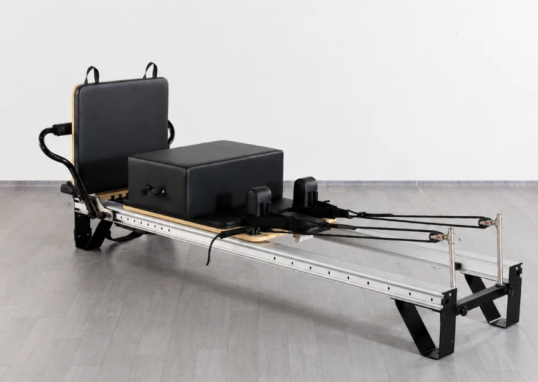
Professional Pilates Reformer vs. Home Pilates Reformer: What Are the Key Differences?
- 0
- 2,307 words
Choosing the right Pilates reformer involves more than comparing prices or appearance. A machine designed for occasional home workouts may not provide...
Read out all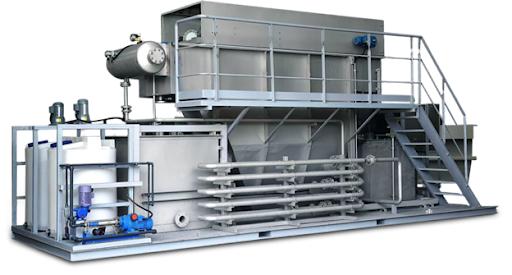
What Makes QILEE Containerized Wastewater Treatment Systems Highly Efficient?
- 0
- 1,208 word
Efficiency in a wastewater treatment system isn’t just about “shrinking” the treatment unit into a shipping container. Efficient system operation occurs when...
Read out all