
- 0
- 1,331 word
As a developer, landing a remote work job was a dream.
I mean, why leave the bed when you work from bed, right?
But three weeks later, I realized working from the kitchen counter in my PJs while panicking with endless Slack pings was not on my bingo cards.
Within the same month, fatigue got to me. I would confuse the music of a washing machine with a Zoom call, and my sleep took a hit.
So, I did what any sane person would do.
Yes, I picked strategic laziness, mental peace, and automation.
What did I do?
If you also want to know, then keep reading. This write-up includes details about an AI-powered workflow I landed on, some good automation tools that made it work, and a basic comparison of AI tools for work automation.
Now, I know finding the best AI tools might seem interesting, but make sure you have a good internet provider because the performance of your AI tool will depend on it.
Top 5 Tasks That AI Can Handle for You
Before you start building an AI infrastructure for your remote work or scout AI tools, look for tasks that are repetitive, boring, predictable, and time-consuming.
These tasks can be automated, and it will save you time.
Here are some tasks that I have automated:
- AI helps me summarize the meeting agenda and create meeting minutes
- I used AI for scheduling my day and making a to-do list
- With generative AI, I also rewrite my emails for a more professional look
- AI generates my daily, weekly, and monthly work reports for team meetings
- I also use AI for basic research, so I don’t have to search queries on Google mid-task
This write-up is not about working harder; instead, it will help you work smarter.
So, grab your coffee, place your laptop on the kitchen counter, and let’s sort your work routine.
The AI-Powered Daily Workflow
While working remotely, one of the biggest issues you will face is the work volume.
It might not be too much, but you will need a lot of manual scheduling, email formatting, sorting cluttered folders, and reporting.
However, if you pick the AI workflow dashboard, it will help you automate the basic tasks like scheduling, drafting, summarizing, and task-routing.
Why Is an AI-Powered Daily Workflow Important for Remote Workers?
As a remote worker, things can get overwhelming, especially when you don’t have a proper routine.
Here are some of the reasons an AI workflow is essential:
- It will help you save time and create a seamless workflow.
- AI reduces presence fatigue, so you don’t have to sit through lengthy meetings.
- AI will handle routine updates and a summary log.
- It reduces decision time, making sure you make timely decisions.
Recommended AI Workflow Tools Stack
Start with ChatGPT, Claude, or Gemini. All these tools are free, beginner-friendly, and will help you draft emails, clean up data, and summarize complex concepts.
You can also use NotebookLM, Goblin. tools, and some advanced paid tools like Motion, Zapier, Make AI, Granola, and Firelies.ai.
Is AI-Powered Daily Workflow Worth It?
| Pros | Cons |
| With AI workflow, you can enjoy consistent output quality even when you are not having a good day. | AI has a tone, which might sound robotic, cold, and sterile sometimes. |
| You can enjoy zero-effort administrative syncing so you don’t end up booking the same client or booking the same day for different tasks | Using private documents for data analysis and data organizing can increase the data privacy risks |
| AI workflow tools will help you save a lot of time. | Creating a full workflow ecosystem might become very expensive. |
Time Management & Deep Work Focus
When you are at home, time flies.
I mean, you will literally feel like you just woke up and now it’s already time to log out. This can be mainly because you lack a routine.
With AI, you can create a productive day. From avoiding unnecessary meetings to creating a work ecosystem with no distractions, AI can help you with everything.
Why Are AI-Powered Time Management & Deep Work Focus Tools important for Remote Workers?
Getting distracted gets fairly easy when you are home. This can be because of kids, a pet, or just a random Netflix and chill session.
This is why you need a time management & deep work focus tool. Here are some ways it can help:
- AI will help you filter out random notifications while prioritizing urgent messages only.
- It will help you plan the whole day while making sure every hour stays productive.
- With AI, you can easily manage your calendar, schedule urgent tasks, and efficiently manage your workload.
Recommended AI Time Management and Deep Work Focus Tool Stack
You can start with free AI time management and work planning tools like Sunsama, Todoist, Opal, and Forest App.
For premium tools, you can also try Motion, Reclaim.ai, or Brain.fm. These tools might be a little expensive, but they can save you a lot of hassle.
Keep in mind that most AI tools do not work without the internet. So, make sure you have a good ISP that you can connect to. I would recommend using third-party internet comparison sites like LocalCableDeals to find the best internet in your area.
| Pros | Cons |
| It will help you reduce stress and create a smooth workflow. | AI schedules might adjust based on time and capacity, so it might be relentless. |
| Make the daily process smooth and help you reschedule for extra work. | The work schedule done via AI might feel too hectic and overwhelming. |
| Seamless calendar adjustments based on any coming event, holiday, or other plans. | The schedule might not adjust based on personal capacity, so the deadline is rigid. |
Content Creation & Document Automation
No matter the designation, documentation never ends.
Marketers, software developers, writers, or researchers- no matter what you do, half of your day will be spent handling reports, emails, and drafts.
So, what’s the solution?
A simple answer is to automate the writing.
Why Are AI-Powered Content Creation & Document Automation Tools Important for Remote Workers
Through automated content creation and documentation, you can:
- Create the best reports, research papers, and essays that do not need a lot of editing.
- You can easily adjust the tone based on the customers’ or event needs.
- AI will ensure that brand voice stays consistent across all platforms and work documents.
- It will help you reduce the work cost because now AI can handle all the basic tasks, i.e., writing, designing, research, etc.
Recommended AI Content Creation & Document Automation Tool Stack
You can start with free tools like Claude, Canva, and Perplexity AI. These tools are free, simple to use, and will help you with basic writing and research.
Since the free tools usually have limitations, you can also switch to advanced tools like Jasper AI, Gamma App, and Copilot.
| Pros | Cons |
| It can help you create complex projects and research within days or hours. | If the prompt is not clear, AI might assume things. |
| It simplifies the process and creates drafts that do not require a lot of refining. | Sometimes AI hallucinates and auto-generates references. |
| With AI, you can rest assured that fact-checking and research will be seamless. | The report or content might look robotic and might not have character. |
FAQ’s
Will using AI tools impact data privacy?
Yes, but only if you are using a free public model. If you switch to the premium paid model, you will be reducing this risk significantly.
Do I need to know how to code for AI workflow automation tools?
No, nearly all workflow tools have a drag-and-drop interface, and you don’t need to be tech-savvy to use them.
Can AI productivity tools replace human project managers?
No. Regardless of the advanced AI tools, you still need human intervention.
Author

ceo.growseoagency@gmail.com
Related Posts

UAE VAT Registration Guide: Thresholds, TRN & FTA Requirements
- 0
- 2,256 words
In the early days of the United Arab Emirates’ economic boom, “tax” was a word rarely whispered in the hallways of Dubai’s...
Read out all
The 8 Best Workers’ Compensation Law Firms in 2026, Compared
- 0
- 1,992 word
This guide is for the people who run hospitals, clinics and provider groups and who have to make sense of a carrier...
Read out all
Key Benefits of Prefabricated Industrial Buildings for Growing Businesses
- 0
- 647 words
Growing businesses often face the challenge of space constraints as operations expand and demand increases. Finding a balance between speed, quality, and...
Read out all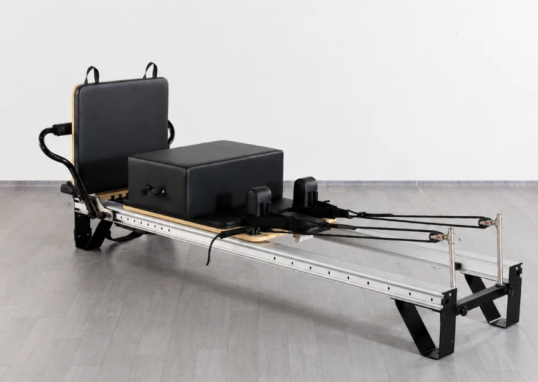
Professional Pilates Reformer vs. Home Pilates Reformer: What Are the Key Differences?
- 0
- 2,307 words
Choosing the right Pilates reformer involves more than comparing prices or appearance. A machine designed for occasional home workouts may not provide...
Read out all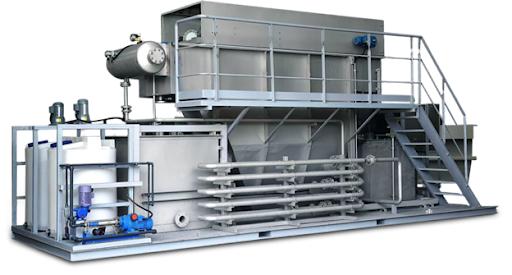
What Makes QILEE Containerized Wastewater Treatment Systems Highly Efficient?
- 0
- 1,208 word
Efficiency in a wastewater treatment system isn’t just about “shrinking” the treatment unit into a shipping container. Efficient system operation occurs when...
Read out all
How to Maintain Clean Grout After Grout Cleaning Dubai
- 0
- 1,134 word
How to Maintain Clean Grout After Professional Grout Cleaning in Dubai After professional grout cleaning, your tiled floors and walls can look...
Read out all