
- 0
- 1,096 word
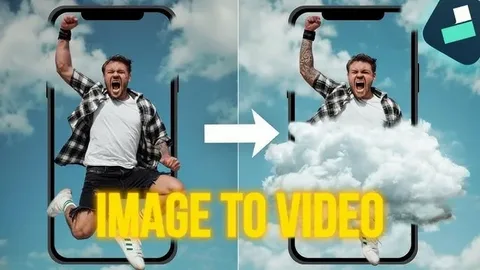
Scroll through any social feed today and you’ll notice something strange. Photos aren’t staying still anymore. A portrait blinks. A landscape shifts with wind and light. A product shot slowly rotates like it’s sitting on a turntable. None of this was filmed. It was generated — and increasingly, it’s free to try.
If you’ve ever wished a single photo could feel more alive without hiring an editor or learning animation software, you’re not alone. That wish is exactly why “image to video free” has become one of the most searched phrases in the content world this year. People want motion, but they don’t want the hassle that used to come with it.
Part of this shift comes down to how far AI video models have come. Tools like Seedance 2.5 can take a single image and turn it into a short, smooth video clip, adding realistic camera movement, natural motion, and depth that used to require a full production team. You upload a photo, describe what you want to happen, and within a minute or two, you have a clip you can post, send, or drop straight into a bigger project.
Why Everyone Is Suddenly Talking About Image to Video
A few years ago, turning a photo into a video meant learning software, understanding keyframes, or paying someone who did. Now the barrier has basically disappeared. Short-form video is everywhere — reels, shorts, product ads, story updates — and the demand for quick, eye-catching clips keeps growing. Not everyone has a camera crew or hours to spend animating a still image by hand.
That gap is exactly what image-to-video tools fill. Instead of filming something new, you take what you already have — a photo on your phone, an old picture, a product render, a piece of art — and let an AI model bring it to life. It’s fast, it doesn’t require any technical skill, and it fits how people actually create content today: quickly, on the go, often from a phone.
What “Free” Actually Means in This Space
Before you get excited about “free,” it helps to understand what that word usually covers.
Free Trials vs Truly Free Access
Some platforms offer a handful of free generations so you can test the quality before paying. Others give you ongoing free access but limit resolution, length, or how many videos you can make per day. Very few tools are unlimited and free forever, simply because generating video with AI takes real computing power.
Watermarks and Output Limits
Free tiers often come with a small watermark or a lower resolution export. That’s usually a fair trade — you get to test the tool with zero cost, and if you like the results, you can upgrade later for cleaner output. The smart move is to test a tool’s free version first, see how natural the motion looks, and only then decide if it’s worth paying for more.
What a Good Image to Video Tool Should Actually Do
Not all tools are equal, even if they all promise the same thing. A few things separate the ones worth your time from the ones that just add jittery movement to a photo.
Keep the Motion Natural
The best results feel like the photo was always meant to move. Hair sways instead of glitching. Water ripples instead of warping. If a tool’s motion looks stiff or robotic, it’s usually cutting corners on the underlying model.
Preserve the Original Image’s Feel
Your photo has a mood, a color tone, a composition you chose for a reason. A good tool respects that instead of reinventing the whole scene. The animation should feel like an extension of the photo, not a replacement for it.
Give You Some Control
Basic tools just add generic movement. Better ones let you describe what should happen — maybe the camera should slowly zoom in, or a person in the photo should turn their head. That extra bit of direction makes a huge difference in how the final clip feels.
This is where a solid platform, like a free seedance video generator, tends to stand out. Instead of applying one fixed animation style to every photo, it lets you guide the motion with a short prompt, so the result actually matches what you had in mind rather than a generic effect layered on top.
Turning a Photo Into a Video: The Basic Steps
You don’t need any special skill to try this yourself. The process usually looks like this:
- Pick a clear, well-lit photo. Sharper images tend to animate more smoothly.
- Upload it to your chosen tool.
- Add a short description of the motion you want — a gentle breeze, a slow pan, a subject that blinks or smiles.
- Generate the clip and review it.
- Download it, or tweak the prompt and try again if something feels off.
Most of the work happens in that third step. The more specific your description, the more control you have over the outcome. Vague prompts tend to produce vague, generic motion.
Where This Kind of Video Actually Gets Used
It’s easy to think of this as just a fun trick, but the practical uses are piling up fast:
- Small businesses turning product photos into short ads without a photoshoot
- Creators animating old family photos as a personal or nostalgic project
- Marketers building quick social clips from existing image libraries
- Artists bringing illustrations or concept art to life for portfolios
None of these need a video camera, a studio, or editing experience. They just need a decent photo and a tool that knows how to move it convincingly.
A Few Tips Before You Try It Yourself
Start with a simple photo — one clear subject works better than a busy scene. Keep your motion description short and specific rather than trying to describe an entire story. And always test the free tier first before paying for anything. Quality varies a lot between platforms, and a quick free test tells you more than any marketing page will.
Final Thoughts
The idea of turning a still photo into a moving clip used to sound like something out of a sci-fi movie. Now it’s a normal part of how people create content, and you don’t need a big budget or technical background to do it. Whether you’re animating a product photo, bringing an old picture back to life, or just experimenting for fun, the tools available today make it easier than ever to see your images move — often without spending a cent to get started.
Author

fraz.ashraf@gmail.com
Related Posts

FindTechGroup.com Review: What the Platform’s Core Philosophy Reveals About Its Long-Term Credibility
- 0
- 1,258 word
A platform’s stated philosophy only carries weight when its operational decisions reflect the same priorities. The gap between what a platform says...
Read out all
Data Science Course in Hyderabad: Why Boston Institute of Analytics Is India’s #1 Ranked Institute for Placement Support
- 0
- 3,103 words
Hyderabad has now become one of the most prominent places for hiring data scientists with a number of vacancies in the field...
Read out all
iBoomto AI Table Extractor: A Smarter Way to Handle PDF Data
- 0
- 1,116 word
PDFs are very good at keeping documents neat and consistent, but the problem of extracting information from them is quite different. I...
Read out all
Tozymagazine.com USA: A Complete Guide to This Growing Digital Magazine
- 0
- 1,242 word
The digital publishing world continues to evolve, and new online magazines are gaining attention from readers across the United States. One name...
Read out all
Top 10 SEO Companies in Lahore, Pakistan
- 0
- 1,441 word
Introduction Lahore has long been one of Pakistan’s biggest hubs for IT and digital business, and that growth has fueled a competitive...
Read out all
Material Handling Equipment Solutions: Types, Applications, Selection Tips, Safety, and Maintenance
- 0
- 2,612 words
Material movement is an essential part of many business operations, including warehousing, construction, manufacturing, distribution, logistics, and industrial work. Companies need reliable...
Read out all