- 0
- 1,685 word
AI-powered video and photo editing has become much more accessible in 2026. Tasks that once required advanced editing software—such as synchronizing speech with a face, swapping faces in a video, or turning a still portrait into a talking character—can now be completed through browser-based AI tools.
Whether you are creating social media videos, marketing content, short films, memes, tutorials, or digital artwork, the right AI tool can significantly reduce editing time. However, different platforms focus on different workflows. Some specialize in lip syncing and talking avatars, while others are designed for broader video generation or developer-focused production pipelines.
This guide compares several notable options for creators looking for free AI lip sync capabilities and face swap AI tools in 2026, with attention to features, pricing, usability, and limitations.
AI Lip Sync and Face Swap Tools at a Glance
| Tool | Best For | Free Option | Starting Paid Price | Main Strength |
| Magic Hour | Lip sync, face swap, talking photos, AI video | Yes | Free; Creator: $19/month or $12/month annually; Pro: $39/month or $25/month annually | Broad AI media workflow |
| HeyGen | AI avatars and video localization | Yes | $29/month | Avatars, translation and voice |
| Runway | Generative video and creative editing | Yes | Paid plans available | Advanced AI video creation |
| Hedra | Character animation and talking content | Yes | $15/month | Character-driven generation |
| Sync | Developer-focused lip sync | Free credits | $5/month + usage | API and lip-sync workflows |
| D-ID | Talking photos and AI presenters | Trial | $14.40/month | Digital presenters and avatars |
1. Magic Hour — Best Overall for Lip Sync, Face Swap and AI Content Creation
Magic Hour stands out for creators looking for free AI lip sync and face swap AI capabilities in the same creative environment. Rather than concentrating on just one AI function, it combines lip syncing, face swapping, talking photos, image generation, video generation, upscaling, and other creative workflows in one platform.
One of its biggest advantages is workflow flexibility. Creators can experiment with different AI models and move from generation to enhancement without constantly switching between services. Magic Hour also provides click-to-create templates and one-click multi-step workflows, including workflows that can move from generation to upscaling and then video creation.
Another useful feature is the ability to try the platform without signing up. The service also offers an unusually generous free tier, while credits do not expire. For creators producing multiple variations, parallel generations can make it easier to explore different results quickly.
Magic Hour also emphasizes access to frontier AI models, weekly feature releases, mobile and desktop optimization, and API parity across its tools. For businesses and larger projects, the platform highlights reliable performance during traffic spikes and live activations, along with founder-level support responses.
Magic Hour Pricing
Magic Hour currently lists the following plans:
- Free: Free access for trying supported AI creation tools.
- Creator: $19/month, or $12/month when billed annually ($144 billed yearly).
- Pro: $39/month, or $25/month when billed annually ($300 billed yearly).
The Creator plan includes 144,000 credits annually when billed yearly, while Pro includes 300,000 credits annually. Creator supports 3 simultaneous generations, while Pro supports 5, alongside higher output-resolution limits. Paid plans also include watermark-free exports and commercial use under the applicable terms.
Key Features
- AI lip syncing
- Face swapping
- Talking photos
- Image-to-video and text-to-video tools
- Access to multiple AI models
- Click-to-create templates
- Multi-step creative workflows
- Fast variations and multiple takes
- Parallel generations
- API access
- Desktop and mobile-friendly experience
- Watermark-free exports on paid plans
Drawbacks
Magic Hour covers a particularly broad range of AI media functions, which can make the platform feel more feature-rich than a single-purpose tool. Credits are also consumed according to the selected workflow and model, so users producing large volumes should monitor their credit usage rather than assuming every generation has the same cost.
2. HeyGen — Best for AI Avatars and Multilingual Video
HeyGen is primarily focused on AI video creation, digital avatars, voice generation, and localization. It is particularly relevant for marketers, educators, businesses, and creators who want a person or avatar to deliver scripted content.
Its free plan provides three videos per month with videos up to one minute, while the Creator plan costs $29/month and includes 600 credits, 1080p export, voice cloning, watermark removal, and access to more than 175 languages and dialects. The Pro plan costs $49/month and increases the offering to 1,000 credits and 4K export.
Key Features
- AI avatars
- Talking-photo capabilities
- Voice cloning
- Video translation
- Multilingual content
- 1080p and 4K exports on paid plans
- AI video generation
Drawbacks
HeyGen is especially focused on avatar-based video rather than being a general-purpose face-editing workspace. Creators primarily interested in experimental face swaps or a wider collection of image and video transformations may need additional tools.
3. Runway — Best for Broader Generative Video Workflows
Runway is a major AI video creation platform covering text-to-video, image-to-video, video editing, character animation, and other generative workflows. Its model lineup includes Gen-4.5, Gen-4, Act-Two, and other AI models.
For creators who want to combine AI generation with more traditional creative editing, Runway can be useful. Its Act-Two model, for example, focuses on character performance, while its video-generation models support different levels of quality and speed.
Key Features
- Text-to-video
- Image-to-video
- AI video editing
- Character animation
- Video stylization
- AI image generation
- Multiple generation models
Drawbacks
Runway is a broader creative platform rather than a dedicated face-swap or lip-sync service. Generation costs also vary according to the selected model and output, so intensive experimentation can consume credits quickly.
4. Hedra — Best for AI Character Animation
Hedra focuses on creating AI-generated characters and videos driven by images, audio, and other creative inputs. Its plans currently include Basic at $15/month, Creator at $30/month, and Professional at $75/month.
The platform is particularly relevant when the goal is to create a speaking or animated character rather than simply perform a face replacement.
Key Features
- AI character creation
- Talking characters
- Audio-driven animation
- Multiple AI models
- Commercial use on paid individual plans
- API access for developers
Drawbacks
Hedra’s workflow is centered more around character generation than general-purpose photo editing. Users looking for a large collection of unrelated image-editing functions may need another platform.
5. Sync — Best for Developers and Lip-Sync APIs
Sync takes a more developer-oriented approach to AI lip syncing. It offers a web-based Lipsync Studio as well as API and SDK access, making it particularly relevant for developers building lip-sync functionality into applications or production pipelines.
Its Hobbyist plan costs $5/month plus $0.05 per second of usage, while Creator costs $19/month plus usage. Higher tiers are available for teams and high-volume production.
Key Features
- AI lip syncing
- API access
- SDKs
- Voice cloning
- Active Speaker Detection
- Usage-based pricing
- Multiple concurrency levels on higher plans
Drawbacks
Sync’s usage-based pricing means the subscription price is only part of the overall cost. It is also more developer-oriented than some creator-first AI video platforms.
6. D-ID — Best for Talking Photos and Digital Presenters
D-ID is known for creating AI-generated talking presenters and animated digital people from images, text, and audio. Its API plans include a free trial, while the Build plan starts at $14.40/month and the Launch plan at $35/month.
The service can be useful for businesses, educators, and creators who want to turn still images into presenter-style videos.
Key Features
- Talking photos
- AI avatars
- Video translation
- Voice options
- Custom avatars
- API access
- Streaming video capabilities
Drawbacks
D-ID’s plans are structured around video minutes and credits, and some lower tiers include watermarks or personal-use restrictions. Users producing commercial content should check the specific license and plan requirements before publishing.
How We Choose These Tools
The tools in this list were considered based on several practical factors relevant to AI video and image creation:
Core AI capabilities: We looked at whether each platform supports lip syncing, face-related transformations, talking photos, avatars, or broader AI video creation.
Ease of use: Browser-based workflows, straightforward interfaces, templates, and automation can make a significant difference for creators who do not want complicated editing setups.
Pricing: Free access, entry-level subscription costs, credit systems, and usage-based charges were considered. Prices can change, so the provider’s current pricing page should always be checked before subscribing.
Creative flexibility: Tools that support multiple media types or connect several AI workflows can be useful when a project involves more than one editing step.
Production features: API access, generation speed, concurrency, export quality, and commercial-use options can become important for professional projects.
FAQs
What is AI lip syncing?
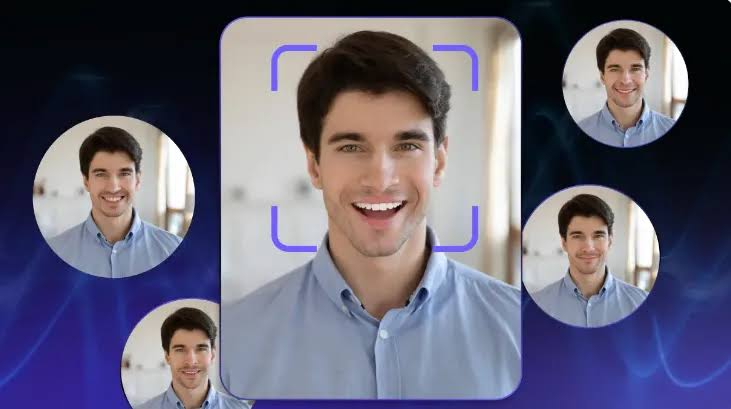
AI lip syncing uses artificial intelligence to synchronize a person’s mouth and facial movements with spoken audio. Instead of manually animating the mouth, the AI analyzes the speech and generates corresponding facial movement.
Can I use AI lip-sync tools for free?
Yes. Several platforms offer free plans, free credits, or trials. The amount of content you can generate and whether exports contain watermarks varies between providers.
What is an AI face swap?
An AI face swap replaces one person’s face with another face in an image or video using machine-learning techniques. Results can vary depending on lighting, camera angle, image quality, facial visibility, and the particular AI model.
Is Magic Hour available without a paid subscription?
Yes. Magic Hour offers a free tier, and its platform can be tried without signing up. Paid plans add larger credit allowances, higher output limits, commercial-use features, and other production capabilities.
Which tool is best for developers?
The answer depends on the workflow. Sync emphasizes API and SDK-based lip-sync functionality, while Magic Hour also provides API access across its broader collection of AI media tools.
Can AI-generated face swaps be used commercially?
Commercial use depends on the platform’s plan and terms. More importantly, creators should have the necessary rights and consent for the people, images, voices, and other assets they use. Paid Magic Hour plans currently list commercial use as an included feature, subject to the applicable terms.
Conclusion
AI lip syncing and face swapping have become practical parts of modern digital content creation. In 2026, creators can choose between all-in-one platforms, avatar-focused services, developer APIs, and broader generative-video environments.
Magic Hour combines lip sync, face swap, talking photos, image and video generation, templates, multi-step workflows, and API access in one platform. HeyGen is oriented toward avatars and multilingual business videos, Runway provides broader generative-video capabilities, Hedra focuses on AI characters, Sync targets developer-oriented lip syncing, and D-ID specializes in talking presenters.
The right choice ultimately depends on the type of content being produced, required workflow, available budget, and whether the project needs a single AI feature or a complete creative toolkit.
Author

IQnewswire@gmail.com
Related Posts
FindTechGroup.com Review: What the Platform’s Core Philosophy Reveals About Its Long-Term Credibility
- 0
- 1,258 word
A platform’s stated philosophy only carries weight when its operational decisions reflect the same priorities. The gap between what a platform says...
Read out all
Data Science Course in Hyderabad: Why Boston Institute of Analytics Is India’s #1 Ranked Institute for Placement Support
- 0
- 3,103 words
Hyderabad has now become one of the most prominent places for hiring data scientists with a number of vacancies in the field...
Read out all
iBoomto AI Table Extractor: A Smarter Way to Handle PDF Data
- 0
- 1,116 word
PDFs are very good at keeping documents neat and consistent, but the problem of extracting information from them is quite different. I...
Read out all
Tozymagazine.com USA: A Complete Guide to This Growing Digital Magazine
- 0
- 1,242 word
The digital publishing world continues to evolve, and new online magazines are gaining attention from readers across the United States. One name...
Read out all
Top 10 SEO Companies in Lahore, Pakistan
- 0
- 1,441 word
Introduction Lahore has long been one of Pakistan’s biggest hubs for IT and digital business, and that growth has fueled a competitive...
Read out all
Material Handling Equipment Solutions: Types, Applications, Selection Tips, Safety, and Maintenance
- 0
- 2,612 words
Material movement is an essential part of many business operations, including warehousing, construction, manufacturing, distribution, logistics, and industrial work. Companies need reliable...
Read out all