
- 0
- 840 words
If you repeatedly find yourself without enough space to install important updates or new applications, you may need to clear out space on your system. Over time, unnecessary files, temporary data, leftover application files, and other digital clutter can consume several gigabytes of valuable disk space. Advanced SystemCare offers a convenient way to identify and remove these unwanted files without manually searching through different folders. In this guide, we will explore how to use Advanced SystemCare to reclaim valuable gigabytes of storage space without any manual effort. Ensure to read this guide till the end.
Part 1: Overview of Advanced SystemCare
IObit Advanced SystemCare is the latest version of IObit’s all-in-one Windows optimization suite. The latest version offers deeper cleaning, smarter scanning, and real-time monitoring to help users maintain a cleaner, faster, and more responsive PC. It combines multiple maintenance tools into a single interface, allowing users to remove unnecessary files, identify system issues, manage startup programs, and improve overall computer performance. Beyond basic system cleaning, Advanced SystemCare provides several optimization features designed to simplify routine PC maintenance. Users can scan their computer for privacy traces, invalid shortcuts, registry issues, and unnecessary background processes. Whether users want to free up disk space, improve system responsiveness, or keep their PCs running smoothly, Advanced SystemCare brings several useful features together in one place.
Part 2: Advanced SystemCare Features That Help Reclaim Gigabytes of Storage
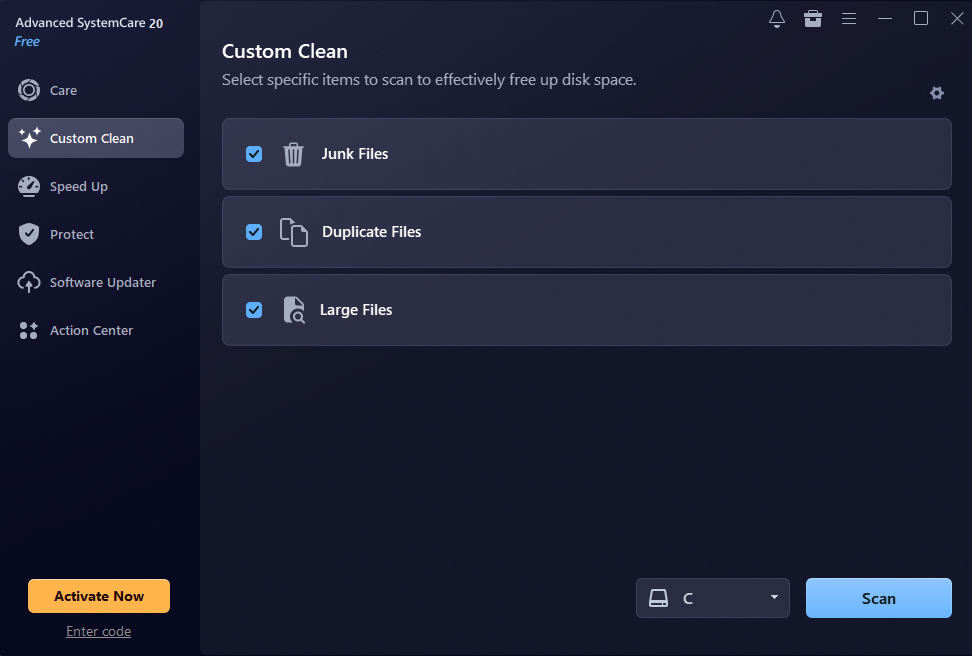
The program includes a wide range of cleaning and optimization features that help users identify unnecessary files, remove digital clutter, and recover valuable disk space. Here are some key features of Advanced SystemCare:
- Deep Clean: Junk files, caches, duplicate content, and other unnecessary data can fill up disk space easily. Advanced SystemCare’s Deep Clean feature helps users identify and remove unwanted files with a single click. This makes it easier to maintain sufficient free space for important applications and personal files.
- Large File Cleanup: Large files can easily take up gigabytes of storage, especially when users have old videos, downloaded files, installation packages, and more. Advanced SystemCare’s Large File Cleanup features help users identify files that occupy significant disk space, making it easier to locate unnecessary data.
- Real-Time Hardware Monitoring: One of the standout features of Advanced SystemCare is that it offers real-time hardware monitoring, allowing users to keep an eye on important system resources and hardware performance. It helps monitor key components such as CPU, RAM, disk activity, temperature, and more.
- 20+ Practical Tools: Advanced SystemCare is packed with amazing tools, each with unique features and capabilities. It offers tools such as Internet Booster, DNS Protector, Large File Cleaner, Privacy Sweep, Startup Optimization, Shortcut Fixer, Software Updater, and more.
- Intuitive Interface: IObit Advanced SystemCare offers an easy-to-use interface, which is ideal for non-tech and beginner users. With this tool, anyone can reclaim valuable storage space, clean unnecessary files, and optimize their computer without requiring advanced technical knowledge.
Part 3: Benefits of Reclaiming Gigabytes of Storage Space
Freeing up gigabytes of storage space offers several advantages. Below, we have mentioned the top benefits:
- Free storage space enables users to download new applications and updates without facing any difficulties.
- It provides more room to store important documents, photos, videos, and other personal files.
- Regularly cleaning temporary files and unnecessary data makes routine PC maintenance easier.
- It can help improve overall PC responsiveness by removing unnecessary files and reducing storage clutter, allowing users to maintain a cleaner system.
- It provides additional space for installing games, editing software, backups, and other applications.
Part 4: How to Reclaim Gigabytes of Storage With Advanced SystemCare?
Using Advanced SystemCare as a dedicated PC cleaner, users can reclaim gigabytes of storage with a single click — no manual effort required. Follow the instructions below to learn how to do it:
- Open your web browser and go to the IObit Advanced SystemCare official site and download the latest version of the program for your PC. Once installed, launch it and select the “Care” option from the left panel.
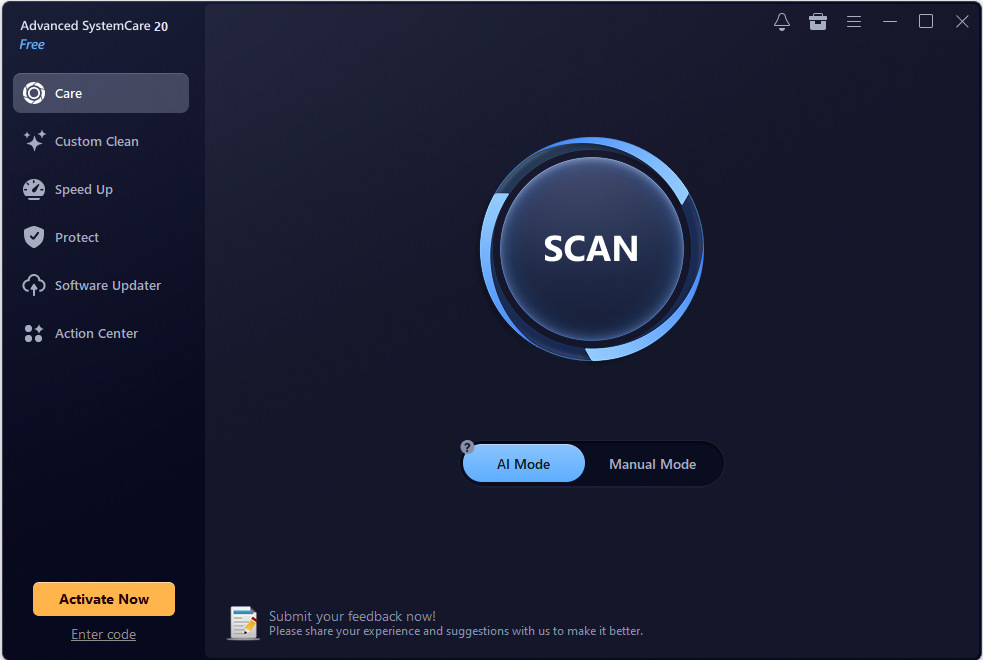
- Now, you’ll see two modes: “AI Mode” and “Manual Mode.” If you want to remove junk files without any manual effort, then go for “AI Mode.” Select the desired mode and click on the “Scan” button.
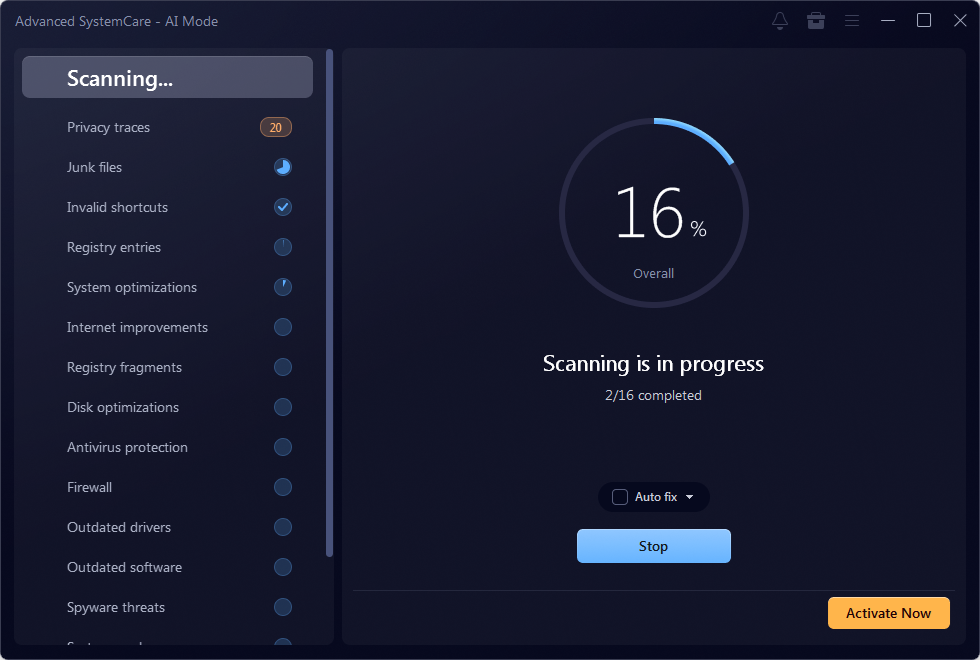
- Advanced SystemCare will completely scan your device and find junk files, temporary data, cached files, leftover application data, and more. Once the scan is complete, users can review the detected files, select the item they want to remove, and click the “Fix” button.
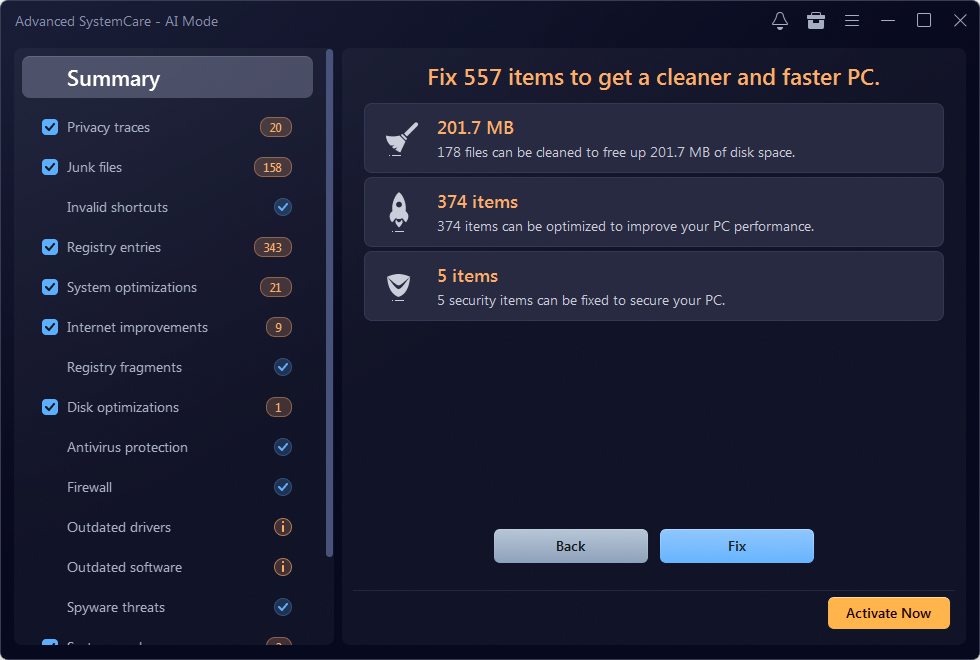
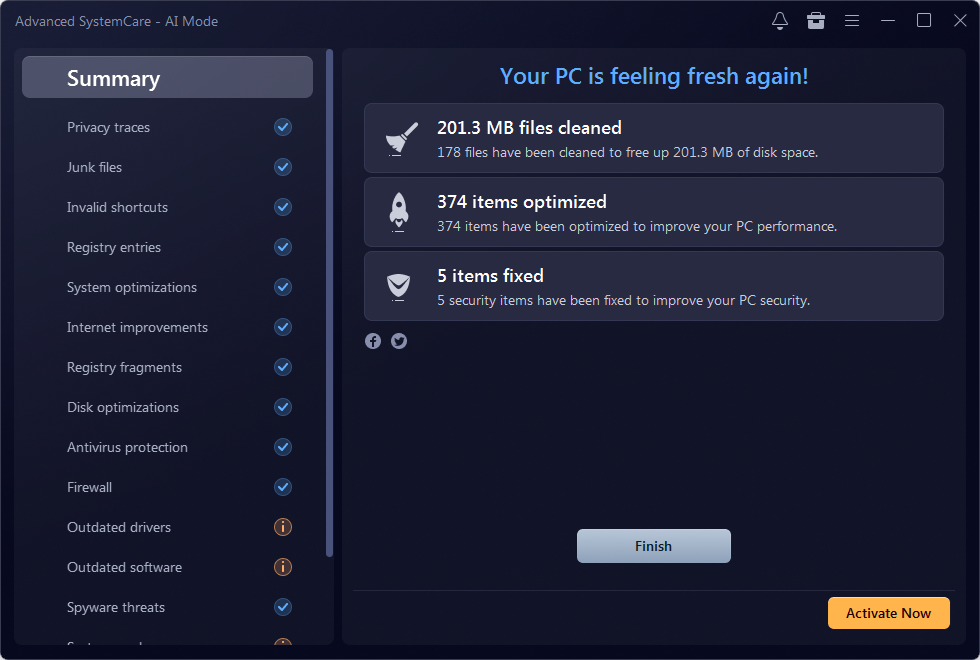
- The program will automatically remove the unwanted files from your system and help you reclaim gigabytes of storage space without any manual effort. Users can regularly run the cleaning process to prevent junk files from consuming valuable disk space.
Final Thoughts
Reclaiming gigabytes of storage space doesn’t have to be a complicated process. With IObit Advanced SystemCare, users can identify unnecessary files, remove accumulated junk, and manage large files through a collection of convenient cleaning and optimization tools. Its Deep Clean and Large File Cleanup features make it easier to recover valuable disk space without manually searching through different folders.
Author

khizarnisar367@gmail.com
Related Posts

AI Glasses for Blind Users: A Buyer’s Guide
- 0
- 901 words
AI glasses can help blind and visually impaired people access visual information through object recognition, text reading, voice assistance, and navigation support....
Read out all
AR Glasses Review: Comfort, Clarity, and Daily Use
- 0
- 927 words
AR glasses combine wearable design with digital displays, allowing users to access virtual screens, entertainment, and useful information without carrying a traditional...
Read out all
How Do Wrist Controls Make Flying Cameras Easier?
- 0
- 987 words
Wrist controls make flying cameras easier by turning drone operation into a faster, more intuitive experience. Instead of juggling a bulky controller...
Read out all
Antigravity A1 vs DJI Mini 4 Pro: Reframe or Film?
- 0
- 1,036 word
Antigravity A1 and DJI Mini 4 Pro solve aerial video in two very different ways. The key choice is not simply image...
Read out all
Link Building Reseller Strategies for Growing Your Client Base
- 0
- 717 words
Your agency’s client base can grow faster than its internal capacity to deliver specialized SEO work. Link building presents a particular challenge,...
Read out all
A proxy glossary for marketing teams starting their first data project
- 0
- 799 words
You’re probably in a kickoff call where someone says the team needs “rotating residential proxies with city targeting” for a pricing study,...
Read out all