
- 0
- 927 words
AR glasses combine wearable design with digital displays, allowing users to access virtual screens, entertainment, and useful information without carrying a traditional monitor. Their real value comes down to three factors: wearing comfort, visual clarity, and everyday practicality. A good pair should feel comfortable for extended sessions, deliver sharp and stable images, and support common activities such as working, watching videos, and browsing information. Evaluating these areas provides a clearer picture of what AR glasses offer in daily life.
Design and Comfort: How Do AR Glasses Feel to Wear?
Frame Design, Weight, and Overall Build Quality
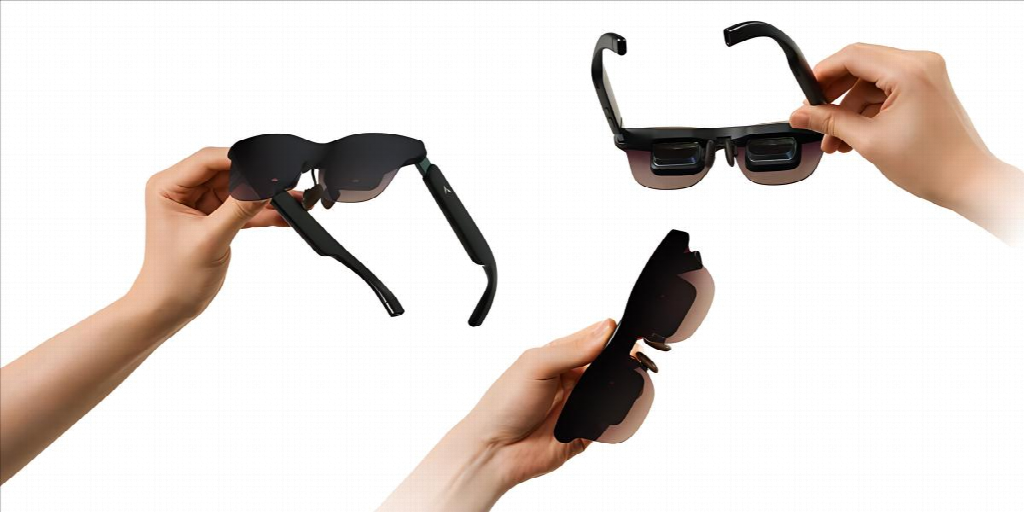
Frame design affects both appearance and everyday usability. Lightweight materials help reduce pressure on the nose and ears, while balanced construction prevents the glasses from feeling front-heavy. Build quality also matters because hinges, joints, and frame connections need to withstand regular handling. RayNeo GT Max AR Glasses weigh 78 grams and feature a design focused on lightweight wearability. When reviewing any pair, consider whether its construction feels sturdy without adding unnecessary bulk.
Nose Pads, Temple Pressure, and Fit Adjustments
Nose pads and temple arms determine how securely AR glasses sit during use. Adjustable nose pads can help distribute weight more evenly, reducing pressure around the bridge of the nose. Temple arms should provide a stable fit without squeezing the sides of the head. Check whether the frame accommodates different face shapes and whether its adjustments prevent slipping. A properly fitted pair should remain comfortable during normal head movements without requiring frequent repositioning.
Comfort During Extended Wearing Sessions
Extended use reveals comfort issues that may not appear during a short fitting. Even lightweight glasses can cause discomfort if the frame distributes pressure unevenly or rests too tightly around the ears. When comparing the best AR glasses, consider ventilation, nose support, heat buildup, and overall balance to determine whether a pair can support long-term wear. Take regular breaks during prolonged screen sessions, particularly when your eyes feel tired. A comfortable design should allow users to move naturally without constantly noticing the weight or pressure of the device.
Display Clarity: Is the AR Visual Experience Good Enough?
Resolution, Image Sharpness, and Text Readability
Resolution directly influences how clearly AR glasses display text, icons, and detailed images. Higher pixel density generally produces sharper visuals, making small interface elements easier to read. Image quality also depends on optical alignment and the clarity of the projected display. When testing a pair, examine fine text, subtitles, and detailed graphics rather than focusing only on video playback. Clear rendering is particularly important for users who plan to read documents, browse content, or work with virtual screens.
Brightness, Color Accuracy, and Contrast Performance
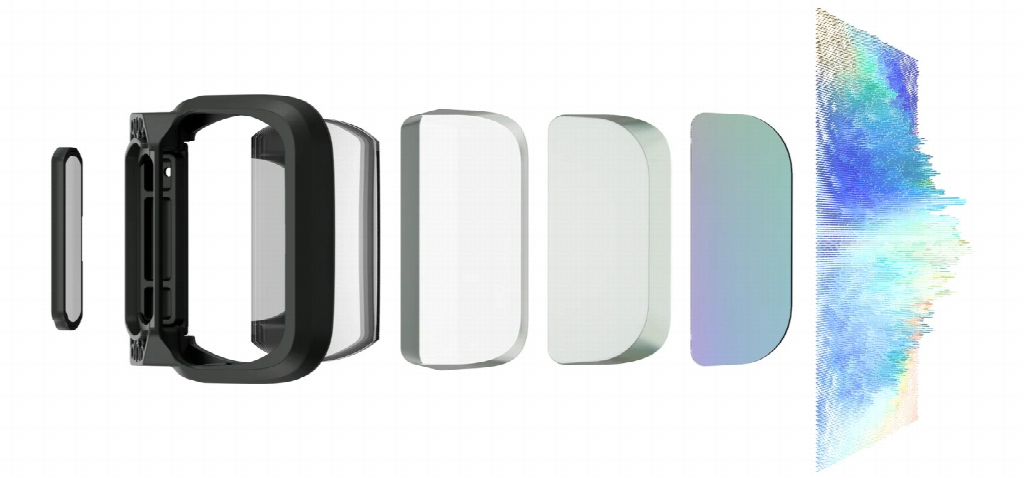
Brightness determines how clearly digital content stands out, while color accuracy affects the natural appearance of images and videos. Strong contrast helps separate dark and bright details, improving visibility across different types of content. The RayNeo GT Max AR Glasses use Peacock Optical Engine 3.0 Max, which delivers 1,200 nits of perceived brightness and a 200,000:1 contrast ratio. These specifications are relevant when assessing visual clarity, particularly for users who value vivid images and clearly defined details.
Field of View, Image Stability, and Visual Immersion
Field of view determines how much of the virtual image users can see without moving their eyes or head. A wider viewing area can make digital content feel more expansive and immersive. Image stability is equally important because drifting, shifting, or inconsistent positioning can interrupt the viewing experience. The 59-degree field of view and 267-inch cinema display offered by the RayNeo GT Max provide useful reference points when evaluating virtual screen size and visual immersion.
Daily Use: How Well Do AR Glasses Perform in Real Life?
Productivity, Multitasking, and Virtual Screen Experiences
AR glasses can support productivity by providing virtual screens for documents, browser windows, and other digital content. This setup can reduce dependence on a physical monitor and create a more flexible workspace. Users should evaluate text readability, screen positioning, and compatibility with their computers or smartphones before relying on glasses for work. Virtual displays are particularly useful for reviewing information and handling basic multitasking, although demanding workflows may still benefit from a conventional monitor.
Entertainment, Video Streaming, and Casual Gaming
Entertainment is one of the most accessible uses of AR glasses. A large virtual display can make movies, streaming videos, and casual games more engaging without requiring a television. Display sharpness, contrast, color reproduction, and motion performance all influence the experience. Audio compatibility also deserves attention, especially when watching films or playing games for extended periods. Before choosing a pair, check supported devices, video formats, connection options, and whether the virtual screen provides a comfortable viewing experience.
Outdoor Use, Navigation, and Everyday Convenience
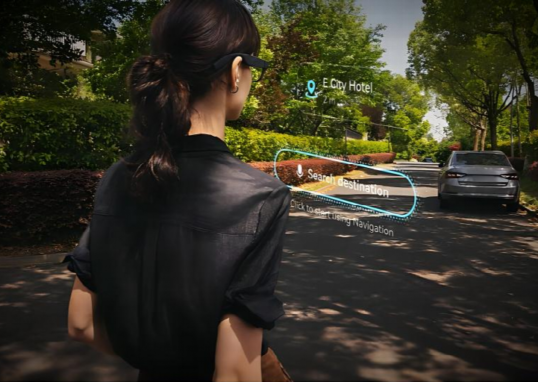
Outdoor usability depends on display brightness, lens transparency, and the ability to maintain awareness of your surroundings. Users may appreciate quick access to notifications, navigation information, and other digital details while moving through familiar environments. Still, direct sunlight can affect visibility, and displayed information should never distract from traffic or nearby obstacles. Check the manufacturer's guidance on outdoor use and adjust brightness appropriately. Practical AR glasses should complement everyday activities without interfering with situational awareness.
Conclusion
A good pair of AR glasses should balance comfortable construction, clear visuals, and practical everyday performance. Weight, fit adjustments, resolution, brightness, contrast, and field of view all contribute to the overall experience. Daily usability also depends on device compatibility, entertainment performance, and outdoor visibility. Before purchasing, consider your main activities and compare specifications against real usage needs. Choosing the right combination of comfort and display quality makes AR glasses more useful for work and entertainment.
Author

khizarnisar367@gmail.com
Related Posts
AI Glasses for Blind Users: A Buyer’s Guide
- 0
- 901 words
AI glasses can help blind and visually impaired people access visual information through object recognition, text reading, voice assistance, and navigation support....
Read out all
How Do Wrist Controls Make Flying Cameras Easier?
- 0
- 987 words
Wrist controls make flying cameras easier by turning drone operation into a faster, more intuitive experience. Instead of juggling a bulky controller...
Read out all
Antigravity A1 vs DJI Mini 4 Pro: Reframe or Film?
- 0
- 1,036 word
Antigravity A1 and DJI Mini 4 Pro solve aerial video in two very different ways. The key choice is not simply image...
Read out all
Link Building Reseller Strategies for Growing Your Client Base
- 0
- 717 words
Your agency’s client base can grow faster than its internal capacity to deliver specialized SEO work. Link building presents a particular challenge,...
Read out all
A proxy glossary for marketing teams starting their first data project
- 0
- 799 words
You’re probably in a kickoff call where someone says the team needs “rotating residential proxies with city targeting” for a pricing study,...
Read out all
How to Reclaim Gigabytes of Storage Space with Advanced SystemCare Deep Clean
- 0
- 840 words
If you repeatedly find yourself without enough space to install important updates or new applications, you may need to clear out space...
Read out all