

- 0
- 1,455 word
Every software demo looks wonderful. The screens are clean, the sample data behaves, and the scanner beeps at exactly the right moment. For a food manufacturer choosing a new system, the most useful thing you can do is a small, friendly one: ask the vendor to run the demonstration with your own lots and your own receiving scenarios. Real products, real expiry dates, and real quirks tell you far more than a polished sample ever could. This checklist is meant to make that conversation easy and even a little fun, so you walk into the demo knowing what to look for.
Why Your Own Lots Make the Best Demo
Food operations have details that sample data rarely captures. A beverage producer tracking ingredient batches has different needs from a distributor handling variable-weight meat. A plant with frozen, refrigerated, and ambient zones has different needs again. When a demo uses your scenarios, you see how the system handles the things that matter in your building: a partial pick, a short-dated pallet, a lot on quality hold.
It also helps the vendor. A clear picture of your receiving and production workflows lets them show you the right capabilities instead of every capability. Many buyers say this single request changes the tone of the whole project, because the conversation shifts from features to fit.
Checklist Item 1: Receiving, Lot Cost, and FEFO
Start where the product enters the building. Ask the vendor to receive one of your real ingredient lots and show you what gets recorded. Does the system require an expiry date for products that need one? Does it keep the supplier’s date against the received lot, rather than relying on a default shelf life? Can it assign the lot its actual purchase price?
This is where a well-built Food Manufacturing ERP approach shines. Food inventory is valued by lot, not by SKU, so two lots of the same ingredient bought at different prices carry different costs. With FEFO, First Expiry First Out, the lot that expires first posts its cost to cost of goods sold first, even if it arrived later. Ask to see a lot consumed in production and watch the cost post at that lot’s actual price, not a blended average. It’s a lovely moment when the warehouse and the finance team see the same story.
Also ask how shelf life write-downs work. A strong answer includes a threshold before expiry, a net realizable value calculation per lot, and a journal entry that posts at period close without a manual spreadsheet.
Checklist Item 2: Picking, Holds, and Wrong-Lot Scans
Next, move to the warehouse floor. Ask the vendor to show a pick where the oldest lot doesn’t have enough stock for the whole order. Does the reservation split across lots sensibly? Then try a quality hold, and a customer who requires a minimum remaining shelf life.
One helpful tip: standard lot reservation alone should not be treated as proof that a wrong-lot scan is blocked. Ask for a live test. Scan the wrong pallet and see what happens. A good setup compares the scanned lot with the directed lot, rejects the incorrect scan before confirmation, and requires a recorded supervisor override for approved exceptions. Seeing this work with your own products is wonderfully reassuring.
Checklist Item 3: Cold Chain and Catch Weight
If your plant handles temperature-controlled product, bring a scenario. Ask how the system handles putaway for ambient, refrigerated, and frozen locations. Can it reject a destination that conflicts with the product’s storage requirement? Can it flag staging time that runs too long?
It’s also worth asking about temperature itself. Location barcodes tell the system where product is, and temperature readings come from operator entry or sensor integration. A good vendor explains this clearly, which is a sign they understand the difference.
For meat, produce, or bulk commodities bought by weight, ask about catch weight. Cases of meat with varying weights need actual weight captured at receiving, retained at lot level, and used for valuation and supplier accruals, not a standard unit conversion. Bring a real receiving example and see how it flows.
Checklist Item 4: Traceability and the Mock Recall
Traceability is where your own lots matter most. FSMA Rule 204 asks for key data elements at critical tracking events, and for records within 24 hours of an FDA request. Ask the vendor to show the receiving record with the supplier’s traceability lot code, product, quantity, unit, date, and supplier. Then ask to see transformation, where consumed ingredient lots link to the finished lot, and shipping, where the lot ties to the customer transaction.
The best test is a mock recall. Choose one of your finished lots and ask for a forward trace, showing the customers who received it, and a backward trace, showing the ingredients and suppliers behind it. Request a sortable spreadsheet export too, since that’s the format regulators commonly use. If the whole exercise takes minutes, you’re looking at something special. It’s also useful to ask how long the vendor’s own last full trace took.
Checklist Item 5: If Odoo Is on Your Shortlist
Many mid-size food and beverage companies are looking closely at Odoo, and the platform deserves a fair, informed look. Odoo for Food and Beverage manufacturers can rely on native capabilities for lot tracking, expiration dates, FEFO removal rules, barcode receipts and deliveries, quality control points, recipe bills of materials, and costing connected to accounting.
A few extra questions make the demo even more productive. Which capabilities are standard, and which are custom addons? Custom work commonly covers FSMA 204 key data element records, wrong-FEFO-pick rejection, catch weight receiving, and Certificate of Analysis generation. Will your business own the custom source code and documentation? Which edition is required? Quality features and the barcode module are Enterprise capabilities, so confirming edition, hosting, and addon support early avoids surprises. And remember that standard lot tracking alone does not establish compliance. Odoo can support compliant workflows once the right records and controls are implemented and validated, and the manufacturer remains responsible for validating its own records and traceability plan.
Checklist Item 6: Migration and Ownership
If you’re moving from QuickBooks, Fishbowl, Epicor, or Acumatica, ask how migration is scoped. A good plan covers item masters, recipe BOMs, usable lot history, open orders, and financial balances. Ask how imported records will be reconciled and when traceability will be tested before cutover. Replacement should follow a requirements assessment and a cost comparison, so it’s fine to ask for both.
Ask about ownership too. Some approaches build food inventory capabilities on the ERP you already run, with no replacement, and transfer ownership to you at completion with no recurring license fees. Others involve subscriptions. Neither is wrong, and the answer helps you compare total cost over several years.
Before You Add Smart Forecasting
Many vendors will mention AI, and it can be a delightful addition. Expiry monitoring can compare remaining shelf life with pick velocity, flag stock unlikely to clear, and suggest customers or channels. Receiving exception routing can send date discrepancies, quantity differences, and recorded temperature excursions to the right owner. Demand forecasting can recommend reorder point updates.
A helpful rule keeps the excitement grounded: clean lot records and consistent scanning come first, and a receiving rule or a bit of training may solve the immediate problem without a model. Ask the vendor how you’ll measure value, such as expiry write-offs, exception handling time, and shortage-related schedule changes.
A Calm Way to Run the Demo
To make the session smooth, send your scenarios a week ahead: one receiving, one partial pick, one quality hold, one recall trace, and one catch weight or cold storage example. Invite the people who will use the system daily, because their questions are the best ones. Take notes on how each scenario feels, and ask the vendor what they would test before go-live.
Then compare. The system that handles your own lots with ease, explains its limits honestly, and leaves you feeling confident about validation is usually the one to choose. A good demo isn’t a performance. It’s a small preview of the working relationship you’re about to build, and asking for your own lots is a wonderful way to begin it.
About the Contributor
Nishkam Batta, Editor-in-Chief, HonestAI Magazine | AI Consultant, GrayCyan AI Solutions
Nish leads an applied AI company helping manufacturing and related companies automate operations with human-in-the-loop AI that integrates into ERPs, WMS, CRMs, and other enterprise tools, with an emphasis on explainable AI, clear audit trails, and measurable outcomes. His team builds agentic ERP systems that execute multi-step tasks inside approved guardrails so humans keep accountability, approvals, and override control.
Book a Consultation | LinkedIn
Author

hyderghumro3@gmail.com
Related Posts

AllValorant.gg: A Complete Guide to Valorant News, Gaming Strategies, Updates, and Esports
- 0
- 2,310 words
Introduction The gaming industry continues to grow, and competitive first-person shooter games have become an important part of modern entertainment. Among the...
Read out all
Swiss Chems: A Complete Guide to Its Products, Research Focus, Reputation, and Safety Considerations
- 0
- 2,799 words
Introduction The name Swiss Chems has attracted attention in the online research chemical market, particularly among people interested in performance science, laboratory...
Read out all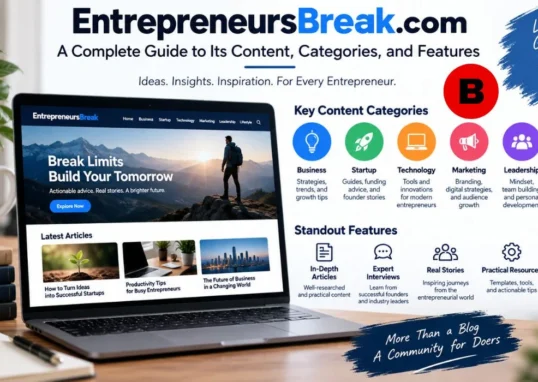
EntrepreneursBreak.com: Exploring a Digital Platform for Business, Technology, Careers, and Everyday Knowledge
- 0
- 2,901 words
The internet has transformed the way people discover information, learn new skills, and stay connected with developments around the world. Today, readers...
Read out all
How to Find First Aid Training Near You in Brampton
- 0
- 1,078 word
Looking for first aid training in Brampton? Pick a course that is hands-on, taught by a certified instructor, and accepted by your...
Read out all
Poieno: Exploring the Meaning, Features, Uses, and Growing Curiosity Around Poieno
- 0
- 2,360 words
Introduction The internet is constantly introducing new words, concepts, platforms, and expressions that capture people’s attention. Some terms become popular because of...
Read out all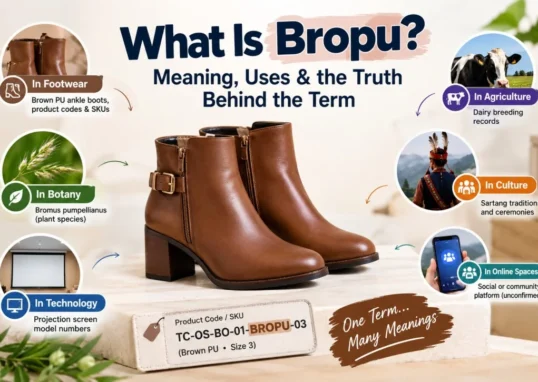
Bropu: Meaning, Uses, Origins, and Everything You Should Know About This Unusual Term
- 0
- 2,381 words
The internet constantly introduces unfamiliar words, names, and expressions that make people curious. Some become popular through social media, while others appear...
Read out all