
- 0
- 1,367 word
A kitchen command center doesn’t need an entire wall, custom cabinetry, or a collection of matching organizers. Sometimes, all it takes is a calendar, a small basket for incoming papers, and a place to write down what’s for dinner.
The trick is to make the setup useful enough to become part of your daily routine while keeping it simple enough to blend into your home. With a little planning, you can create a space that keeps family schedules, grocery lists, and everyday reminders organized without turning your kitchen into an office.
1. Choose a Spot Everyone Can Reach
The best location is somewhere your household naturally passes throughout the day. For many families, that means a wall near the kitchen entrance, a pantry door, or an open section of wall beside the refrigerator.
Before hanging anything, consider three things:
- Visibility: Can family members check the calendar without moving appliances or clearing the counter?
- Accessibility: Is the information easy for children and adults to read and update?
- Space: Will the setup interfere with cabinet doors, walkways, or everyday kitchen tasks?
If you have limited wall space, look vertically. A narrow strip beside the refrigerator can accommodate a calendar, a small note board, and a hanging file without requiring a large dedicated area.
For renters, removable hooks, lightweight boards, and suitable magnetic accessories can help minimize permanent changes. Always check the mounting method and surface compatibility before installing anything.
2. Divide Your Kitchen Command Center Into Three Zones
A command center becomes easier to use when every item has a clear purpose. Rather than filling the wall with miscellaneous notes, start with three simple zones.
Zone 1: Family Calendar
This is where everyone checks upcoming appointments, school activities, work commitments, and family events.
A monthly calendar works well for seeing the bigger picture, while a weekly view is more useful for managing busy afternoons and daily pickups.
Choose one place as the main source of truth. If the same appointment appears on a wall calendar, a phone app, and a separate planner, someone will eventually forget to update one of them.
Zone 2: Tasks and Important Reminders
Use a small chalkboard, dry-erase board, or notepad for information that changes frequently.
Keep it focused on immediate needs, such as:
- Permission slips that need to be signed.
- Packages that need to be returned.
- Chores that need to be completed.
- Items that should be packed before leaving home.
A small inbox or labeled file can hold papers that require action. Once a task is finished, remove the reminder instead of letting completed items accumulate.
Zone 3: Meals and Groceries
A meal-planning area helps connect what’s happening on the family calendar with what’s happening in the kitchen.
For example, if Wednesday evening is filled with sports practice, plan a meal that requires little preparation. If you’re hosting family on Saturday, add the ingredients you need to the shopping list earlier in the week.
Keep the grocery list somewhere everyone can contribute to it. A shared phone list, a magnetic notepad, or a digital display can all work, provided the next person shopping knows where to find it.
3. Choose the Right Mix of Paper and Digital Tools
You don’t need to buy everything at once. Start with the simplest system that meets your household’s needs, then add tools only when you identify a real gap.
| Option | Best for | What to consider |
| Chalkboard or dry-erase board | Quick reminders and handwritten notes | Requires regular rewriting |
| Printable calendar | Affordable monthly or weekly planning | Changes must be written in manually |
| Paper planner or wall calendar | Households that prefer a traditional visual layout | Remote family members may not see updates |
| Digital family calendar | Shared schedules that change frequently | Check calendar compatibility and editing permissions |
| Dedicated kitchen display | Combining schedules and household lists in one visible place | Requires an initial investment and ongoing upkeep |
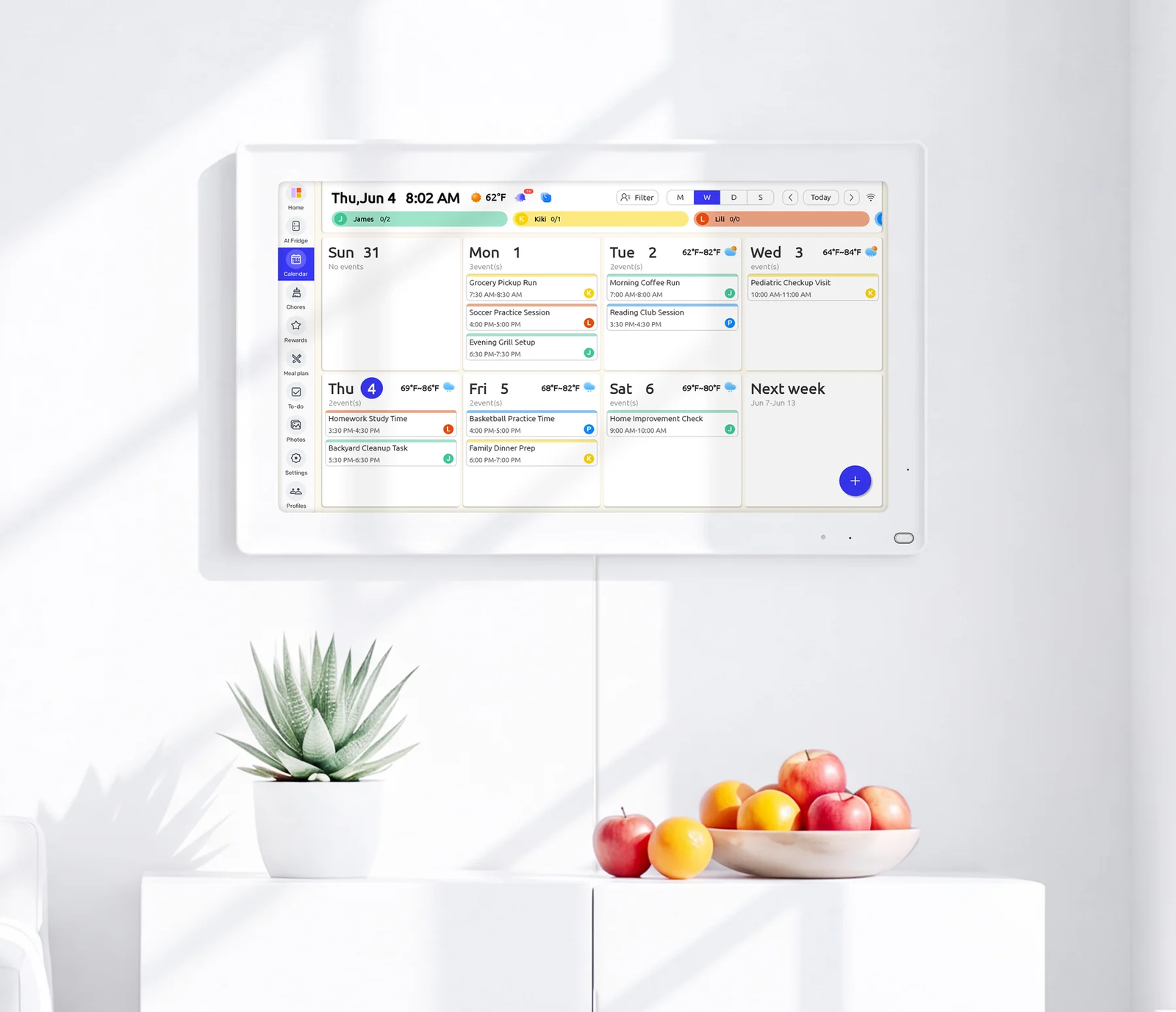
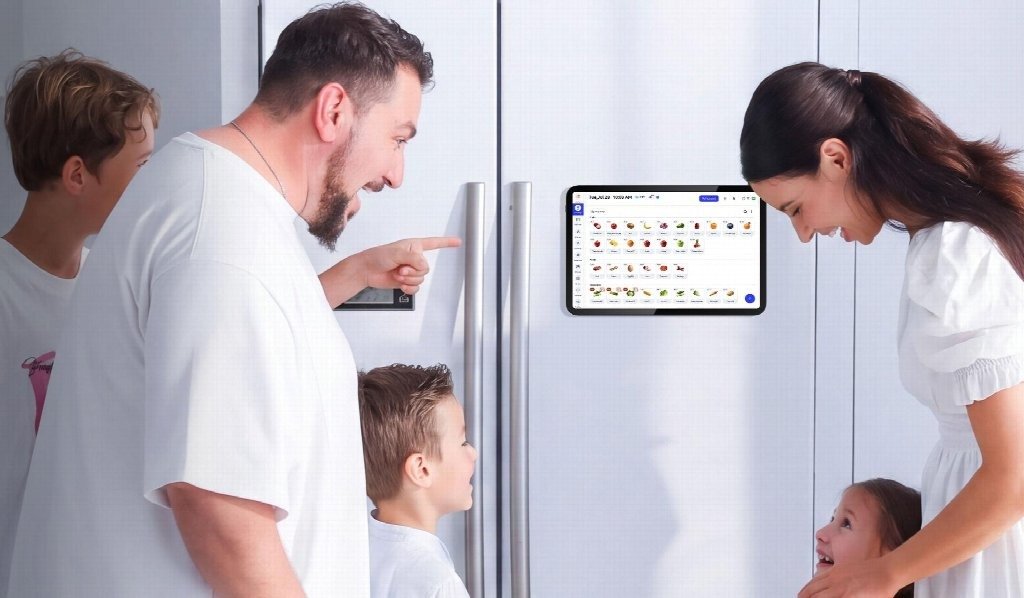
For households that prefer a digital option, an Everblog AI fridge calendar offers a way to bring shared schedules, chores, and meal-planning information onto a kitchen display. It can be an alternative to maintaining several separate paper lists, particularly when multiple family members need access to the same information.
That doesn’t mean every household needs a digital calendar. If a printable planner and a whiteboard already work well, keep them. The goal is to make everyday information easier to find, not to add technology for its own sake.
4. Make the Command Center Part of Your Décor
A functional space can still look intentional. You don’t have to choose between a practical family hub and a kitchen that feels warm and inviting.
Here are a few easy ways to bring the two together:
- Repeat a consistent color palette. Choose two or three colors that complement your kitchen rather than using a different color for every board and label.
- Mix materials thoughtfully. A wood-framed calendar, a simple corkboard, and a small metal basket can create visual interest without looking mismatched.
- Use matching frames. If you prefer printed calendars and checklists, matching frames can make the arrangement feel like a planned gallery wall.
- Keep supplies contained. Use one small cup for pens and a slim basket for papers instead of spreading office supplies across the counter.
- Leave some breathing room. Empty space makes the important information easier to spot and keeps the wall from looking overcrowded.
If your kitchen already has a strong style, work with it. Natural wood suits a warm, rustic space, while simple black frames can complement a more modern kitchen. The most successful setup is one that looks as though it belongs there.
5. Connect Meal Planning With Your Grocery List
Meal planning becomes much easier when it reflects your actual schedule and the food you already have.
Start by checking the refrigerator, freezer, and pantry before deciding what to cook. The USDA’s weekly meal-planning guidance recommends planning meals, using foods already on hand, and creating a grocery list around what you intend to prepare.
Try this simple weekly routine:
- Review the calendar. Identify evenings when there’s little time to cook.
- Choose a few meals. Plan around your schedule rather than forcing yourself to create an elaborate menu for every day.
- Check what you have. Look for ingredients that should be used soon and meals you can make from existing supplies.
- Write the shopping list. Add missing ingredients and household essentials.
- Update the plan as needed. If a meal changes, adjust the list instead of leaving outdated information in place.
You can display the weekly menu on a printed sheet, a magnetic board, or a digital calendar. Keep the detailed recipes elsewhere if they take up too much space.
The point is to make the connection between plans and groceries visible, so shopping and meal preparation require less last-minute guesswork.
6. Keep Clutter From Taking Over
Even a well-designed command center can become messy if nobody knows how to maintain it. Fortunately, a short weekly reset is usually enough to keep things manageable.
Set aside ten minutes to:
- Remove completed reminders and outdated papers.
- Review the coming week’s appointments.
- Confirm that important events have the correct times and locations.
- Update meal plans and shopping lists.
- Return pens, notes, and other supplies to their designated places.
Give everyone a small responsibility. One person might update the calendar, while another checks the grocery list or clears completed tasks. The system shouldn’t depend on one family member remembering every detail.
It’s also worth reviewing what you’ve included. If nobody uses a particular board, remove it. If the shopping list is constantly missing, move it closer to where people notice they’re running out of something. A command center should adapt to your routines rather than force you to follow a complicated system.
A More Organized Kitchen Starts Small
Creating a kitchen command center is less about buying organizers and more about deciding where information belongs. A visible calendar, a simple reminder area, and a practical meal-planning system can make everyday routines easier to manage.
Start with one small section of wall or counter. Add only what your household needs, choose materials that complement your décor, and give everything a clear purpose.
Once the setup becomes part of your daily routine, you’ll know which additions are genuinely useful—and which ones you can do without.
Author

khizarnisar367@gmail.com
Related Posts

How Regional Labor and Material Prices Affect Construction Bid Accuracy
- 0
- 1,538 word
A production bid can look precise on paper, and no matter the truth that be incorrect if the underlying fees no longer...
Read out all
Diagnosing Home Cooling Problems in Flower Mound’s Heat: What to Check Before You Call
- 0
- 1,093 word
North Texas summers put air conditioners to the test. When temperatures climb and humidity hangs in the air, even a small issue...
Read out all
Why Your Home Feels Clammy Despite Cooling in Palm Bay: A Practical Guide to AC Dehumidification
- 0
- 1,044 word
Summer on Florida’s Space Coast brings ocean air, daily downpours, and long stretches of high humidity. Even when the thermostat says you...
Read out all
What a Skilled HVAC Contractor Checks Before Recommending New Equipment
- 0
- 1,178 word
Replacing an air conditioner, heat pump, or furnace can feel like a quick swap, but comfort and efficiency depend on steps taken...
Read out all
Why Oversized Air Conditioners Leave Homes Clammy and How to Fix It
- 0
- 1,181 word
On a hot, sticky day, it is tempting to think a bigger air conditioner will cool the house faster and feel better....
Read out all
How to Choose the Best Physiotherapy in Dee Why for Your Recovery
- 0
- 883 words
Choosing physiotherapy for recovery involves more than finding the closest clinic or booking the first available appointment. The right care should help...
Read out all